Features
Every feature, mastered to perfection.
Every feature here earned its place by being something testers reach for every week. Nothing was added to win a comparison table.
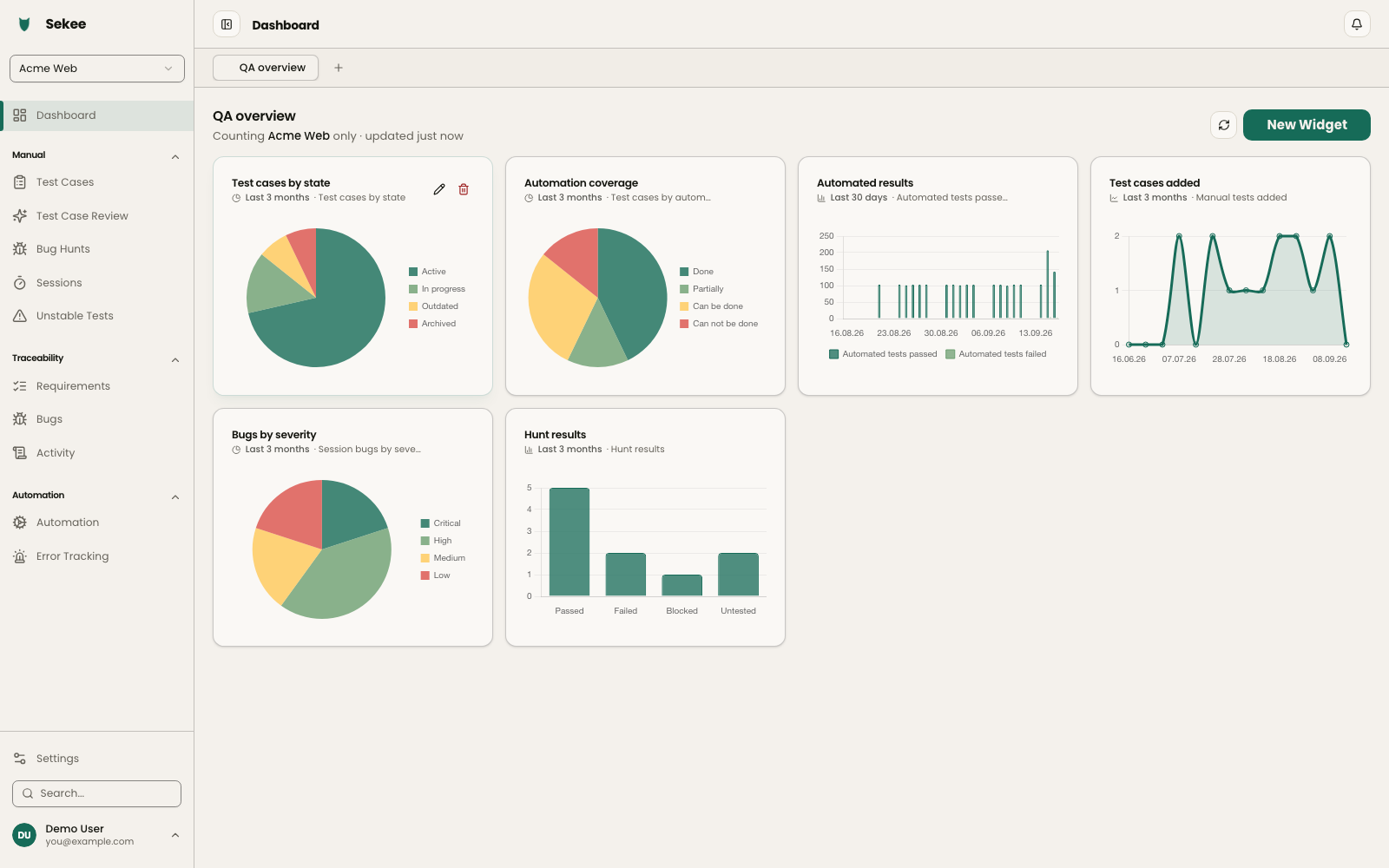
Dashboards & reporting Every audience gets the numbers they actually care about.
Build as many reporting dashboards as you like — private, or shared so the whole team can see them. Add widgets to your dashboards and see the metrics that matter for you or your team. Product leads can monitor overall progress, QA can keep an eye on defect density, and the founding team can monitor the overall quality of your whole product.
- Unlimited dashboards, private or team-wide
- A custom widget for every metric that matters
- Separate views for QA, leads and founders
- See how your team performed over the last X amount of time
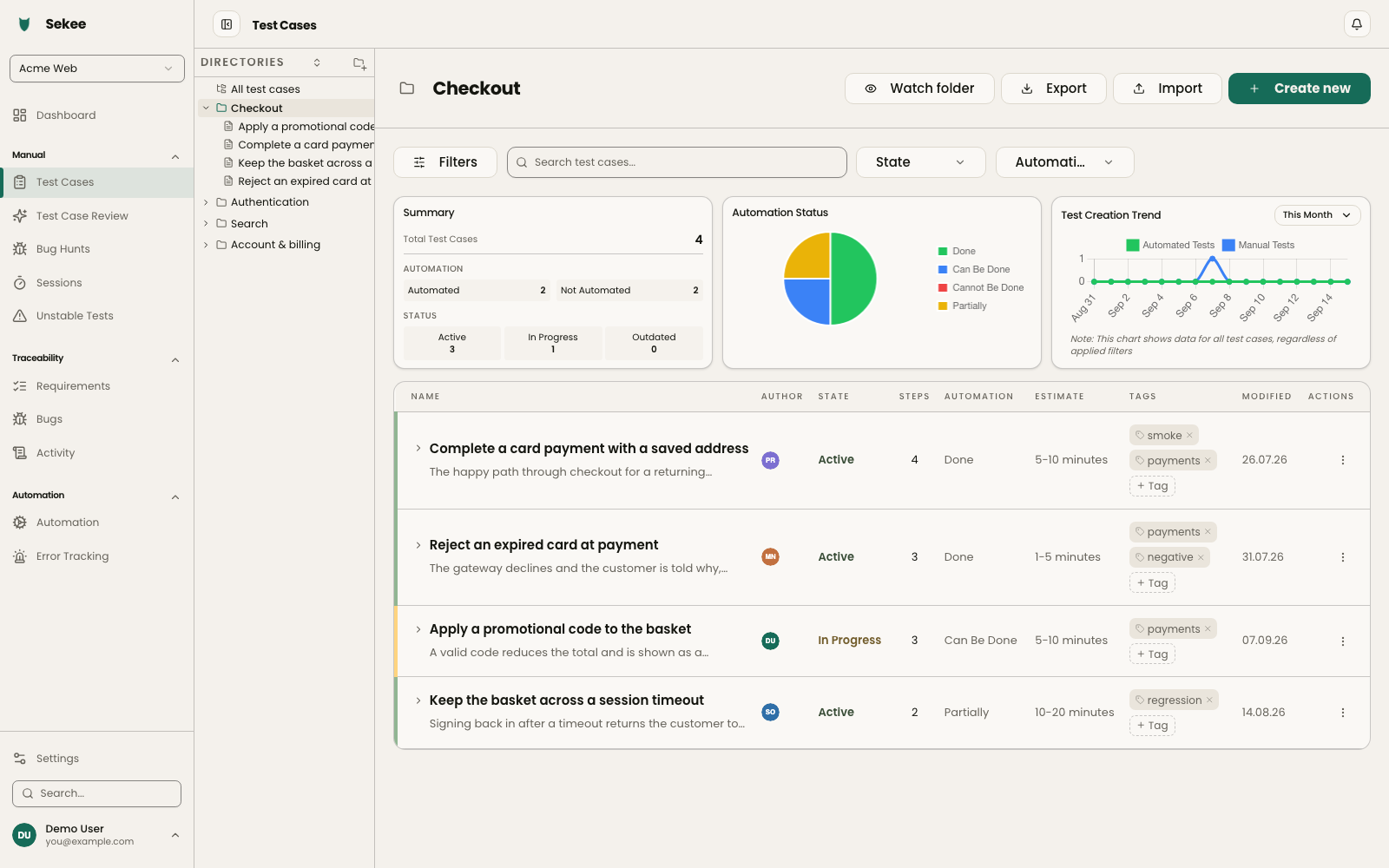
Test case management Writing a test case stops being the worst part of the day.
The test case editor is designed to get out of your way. Add steps quickly with shortcuts, reuse shared steps and case templates instead of retyping them, attach screenshots with a simple paste, and reorganise folders to match how your team thinks.
- Reusable test case and step templates
- Shared steps for the parts every case repeats
- Fast screenshot attachments
- Drag-and-drop folder structure
- Comment on a test case or a single step and tag teammates
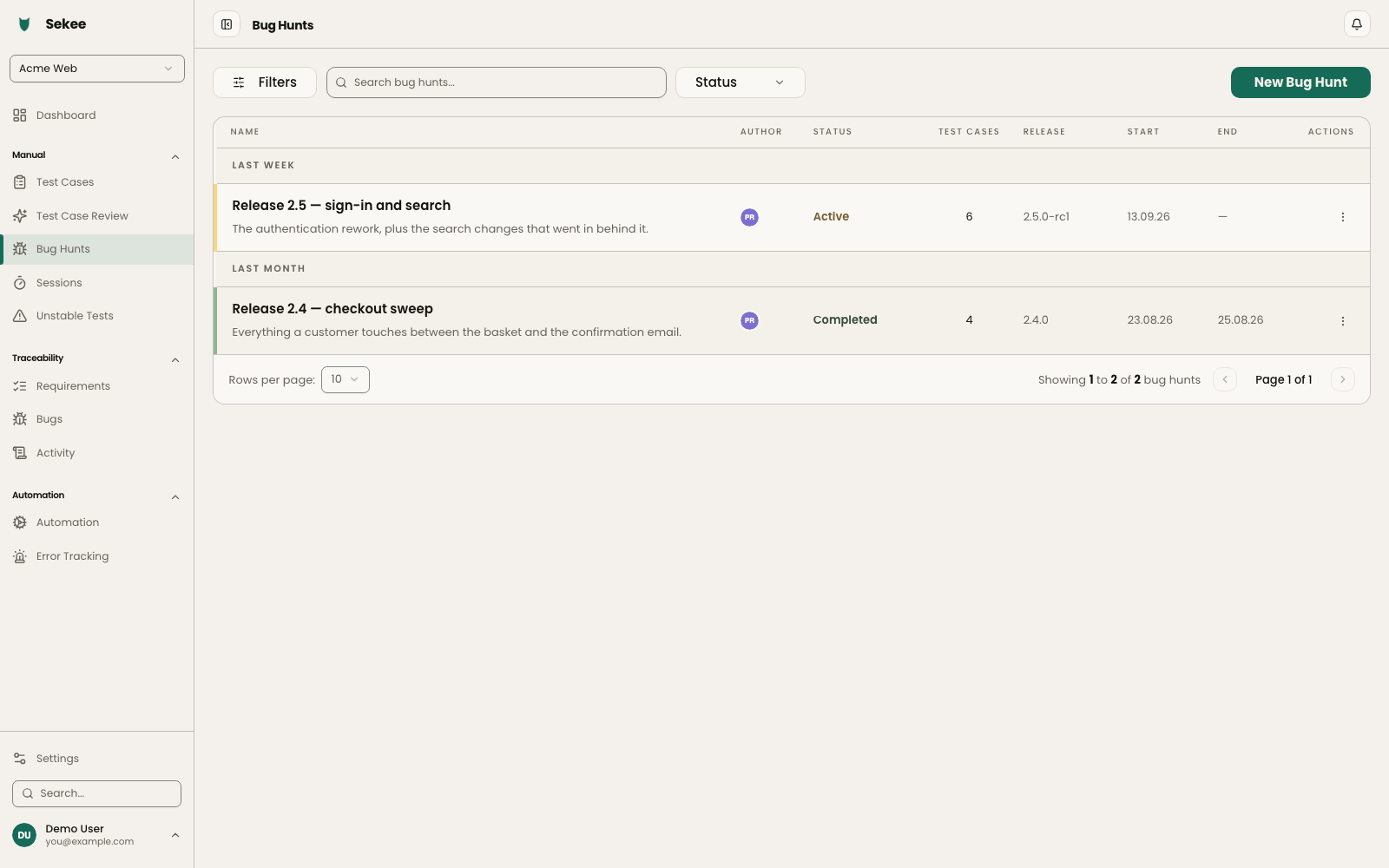
Bug hunts & bug bashes Turn a messy release into one organised sweep.
Release coming up? Create a bug hunt, load it with test cases and assign them across testers and developers. Log bugs and comments as you go, so when the hunt ends the whole team is looking at the same list of what broke.
- Assign cases to testers, developers or guests
- Log bugs and comments on cases or individual steps
- Link Jira tickets and tag people
- Add release tags so you can see what shipped and what broke
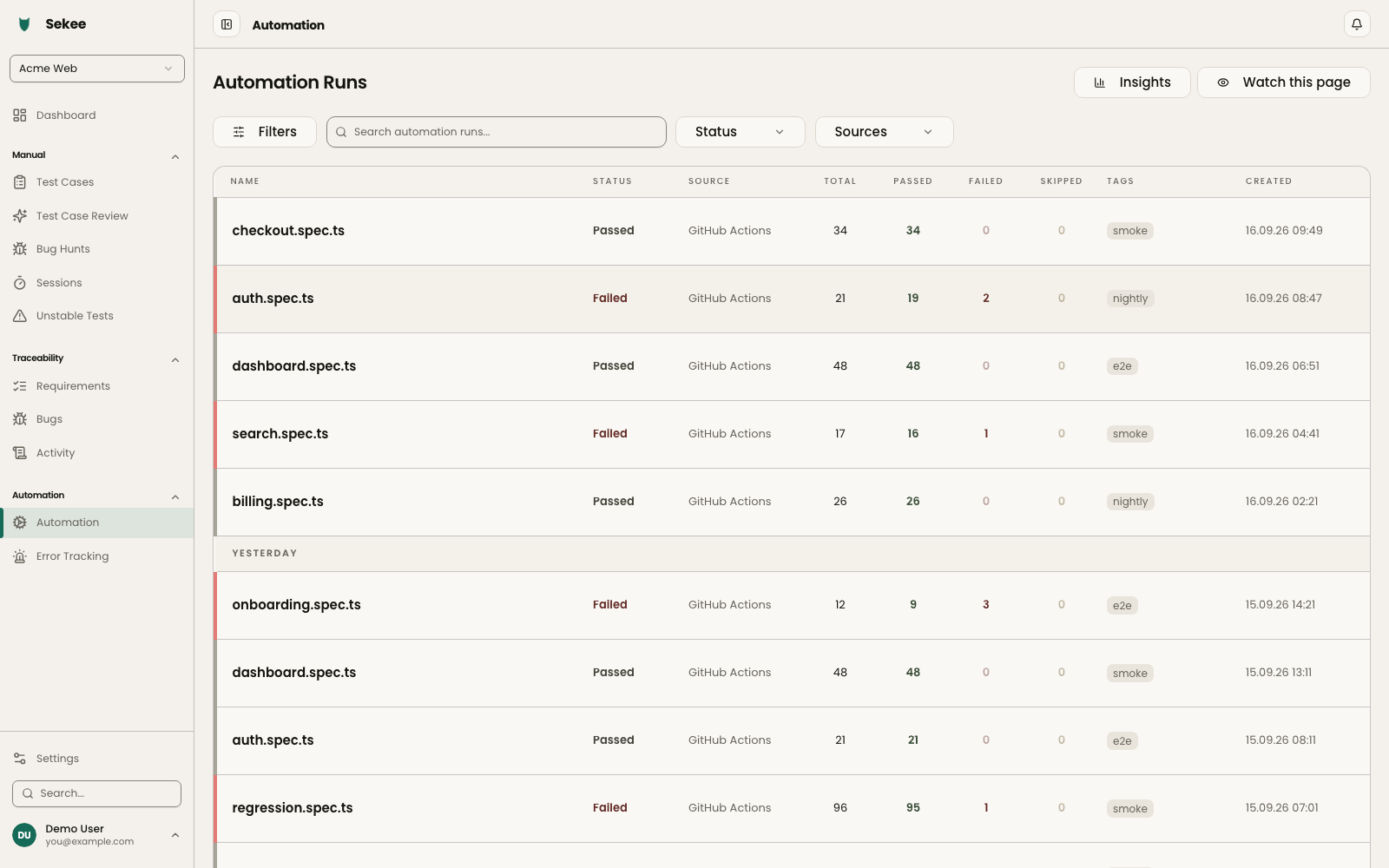
Automation reporting Every automated run in one place, not in five thousand log lines.
Post results from any runner that produces JUnit XML and every run lands in Sekee test by test, so nobody has to scroll a raw log to find the one failure that matters. Each error is stored, so the team can see which failures keep coming back and go fix the bottleneck instead of the symptom.
- JUnit XML from Playwright, Cypress, Jest or pytest
- Flaky tests flagged from their run history
- Error history with frequency statistics
- Comments, tags and parallel threads on any run
- Custom CLI that integrates into any pipeline
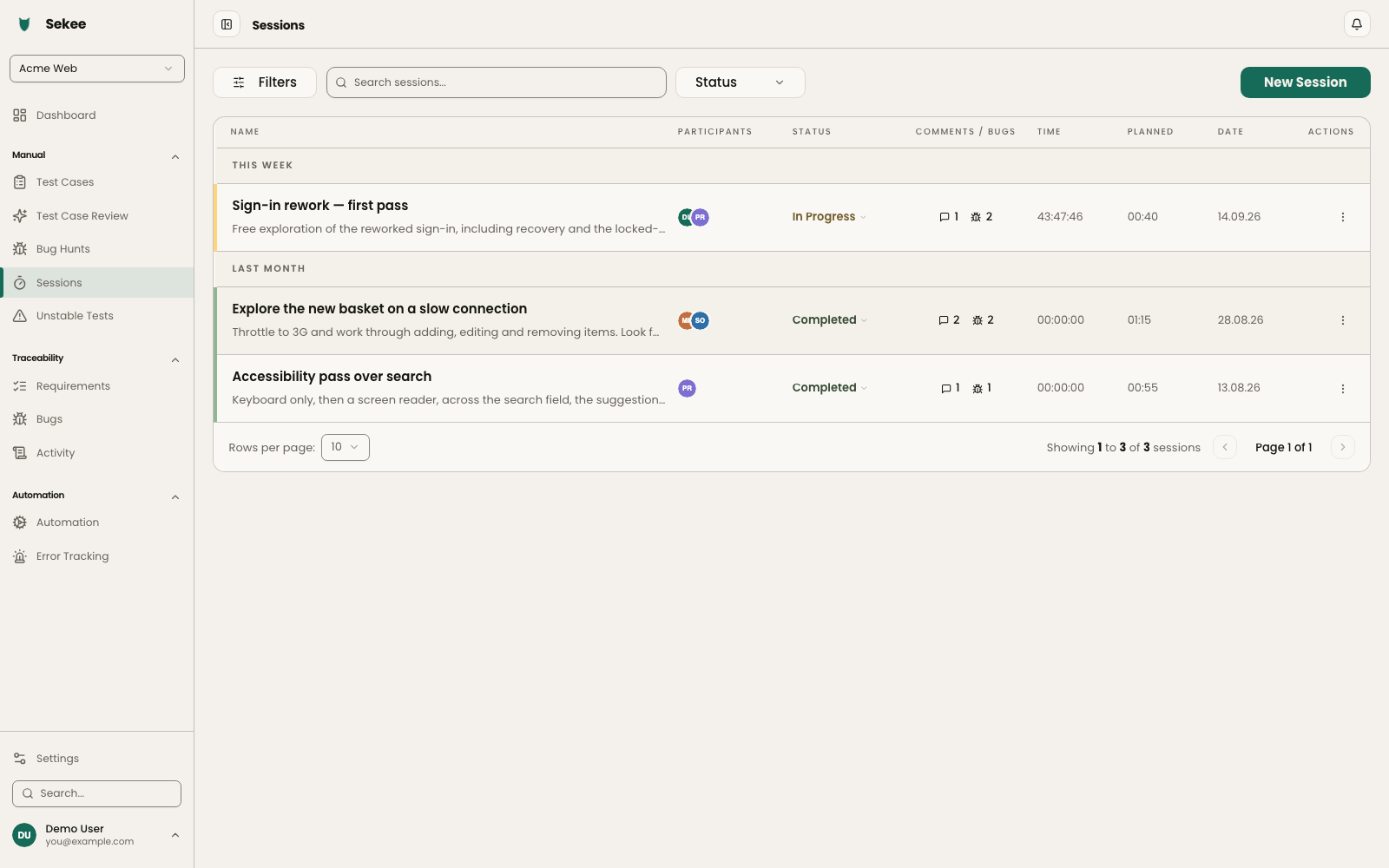
Exploratory testing Start the clock, note what you find, share the session.
Create an exploratory session against a charter, track your time and report findings as you work. Bring other people into the same session because two pairs of eyes always beat one.
- Time tracked per session
- Findings captured while you work
- Multiple people in a single session
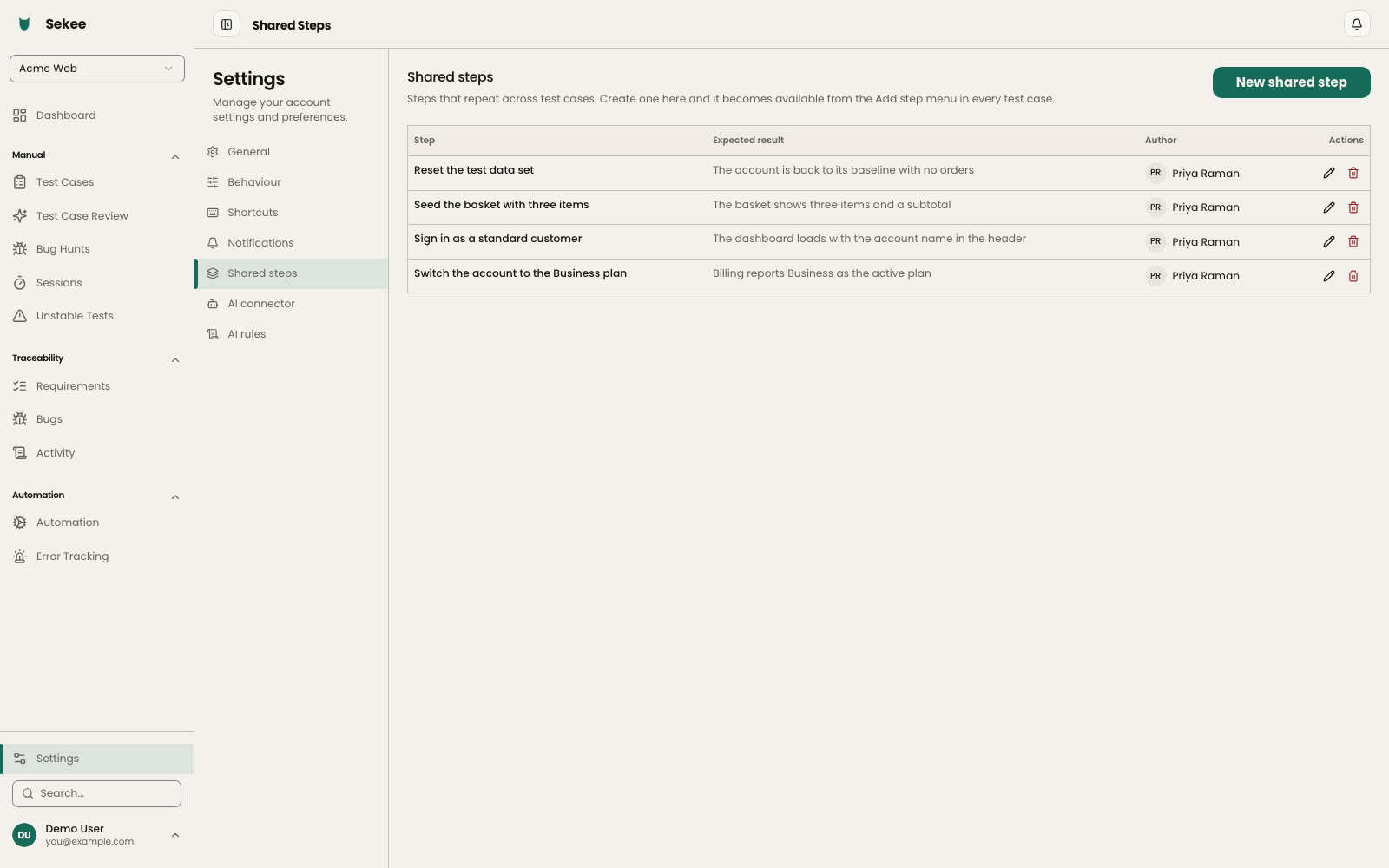
Shared steps Write the login flow once, not in ninety test cases.
The steps that repeat across a suite — signing in, seeding data, clearing a cart — are written once and imported wherever they are needed. Change the shared step and every case that uses it changes with it, so a new login screen is one edit rather than an afternoon.
- One definition, imported into any case
- Edit it once and every case follows
- On every plan, Starter included
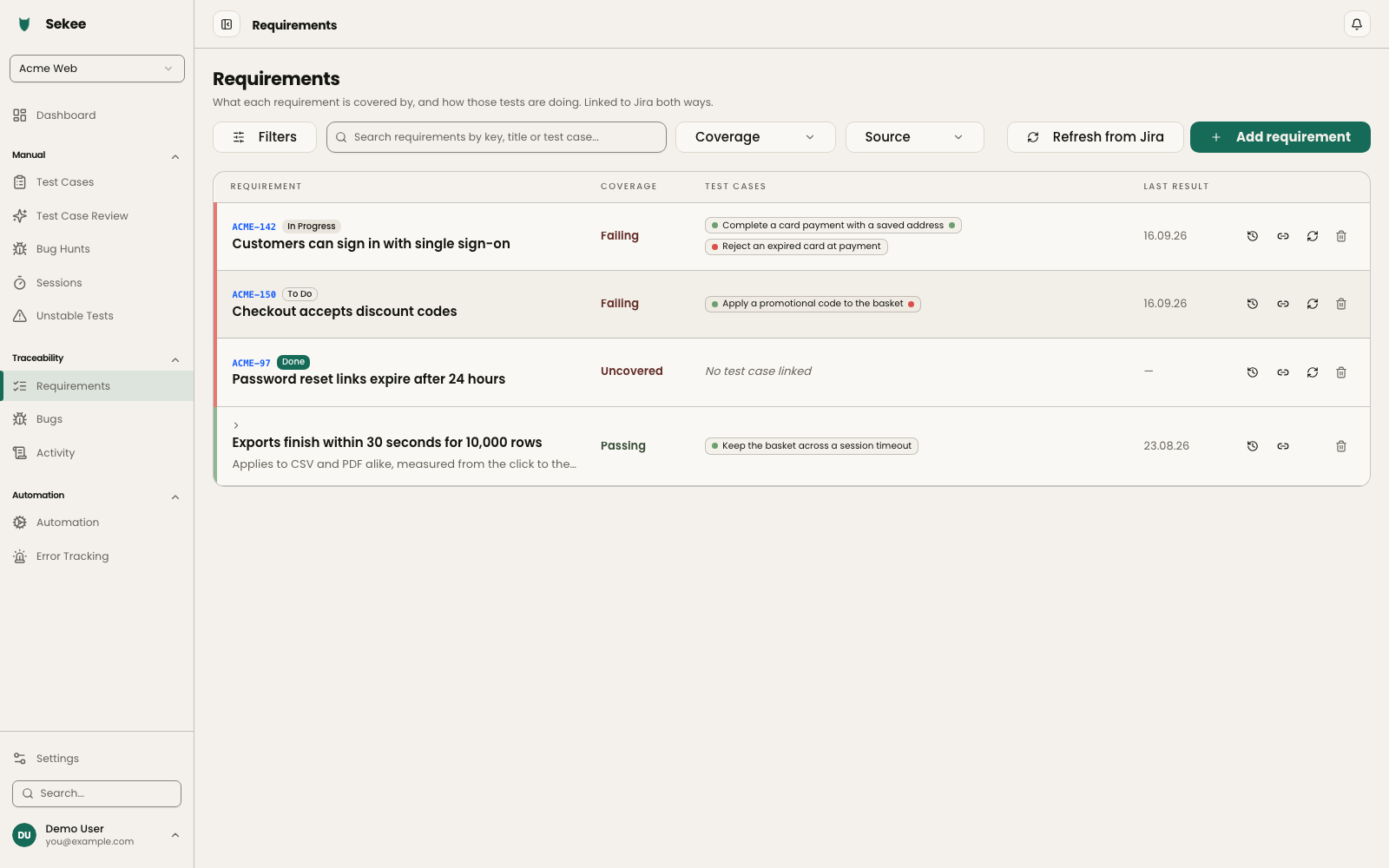
Requirements coverage Know which requirements nothing is testing yet.
Link test cases to the requirements they cover and then look at what is left over. Coverage stops being a number somebody estimates in a meeting and becomes a list of requirements with no case attached to them.
- Link a case to the requirement it covers
- See which requirements nothing covers yet
- Trace a failure back to what it was protecting
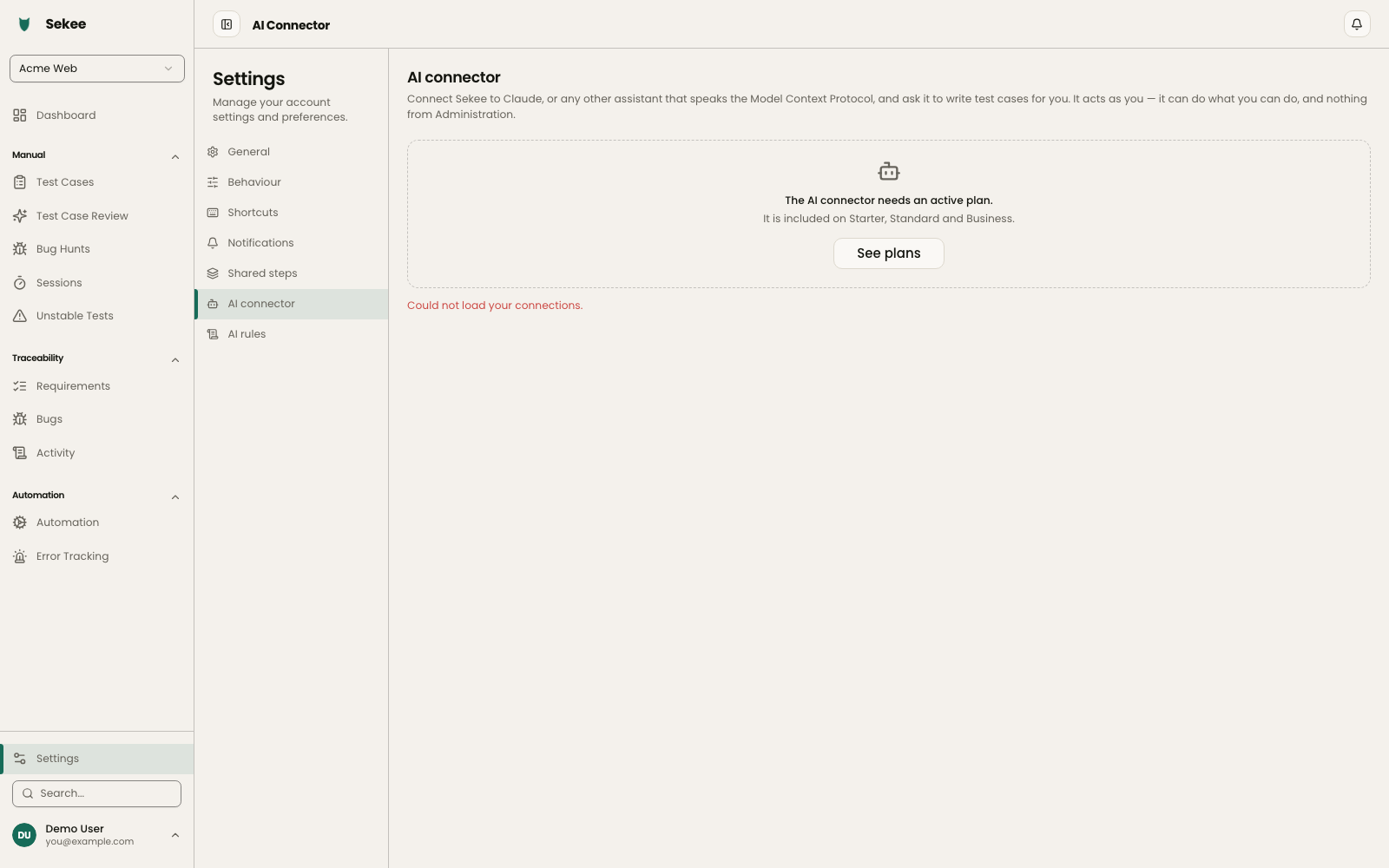
MCP server Let an AI assistant do the typing, under its own name.
Sekee speaks the Model Context Protocol, so Claude, Cursor or any MCP client can read and write test cases, open a bug hunt and report run results directly. Everything an assistant does is marked as AI in the activity log — on every plan that records at all, never as a paid extra.
- Read and write test cases from any MCP client
- Create bug hunts and log findings
- AI actions attributed to the AI, not to you
- On every plan, Starter included
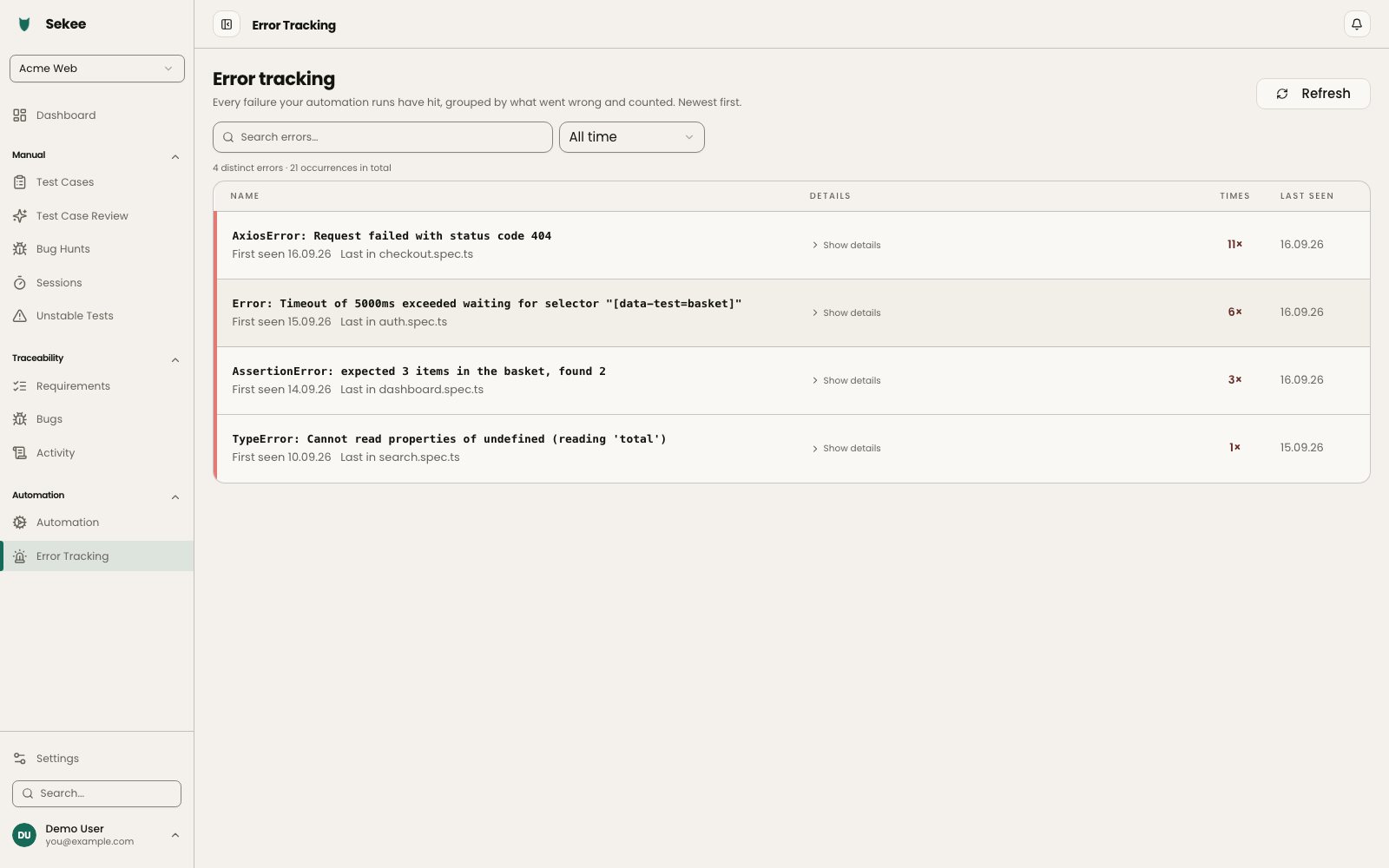
Error tracking The same failure, forty times, finally counted.
Every error message your automated suites produce is captured and grouped, with the frequency attached. Instead of reading one run at a time, you see which failures keep coming back — and go fix the bottleneck instead of the symptom.
- Error messages captured automatically across suites
- Grouped, with frequency statistics
- On the Business plan
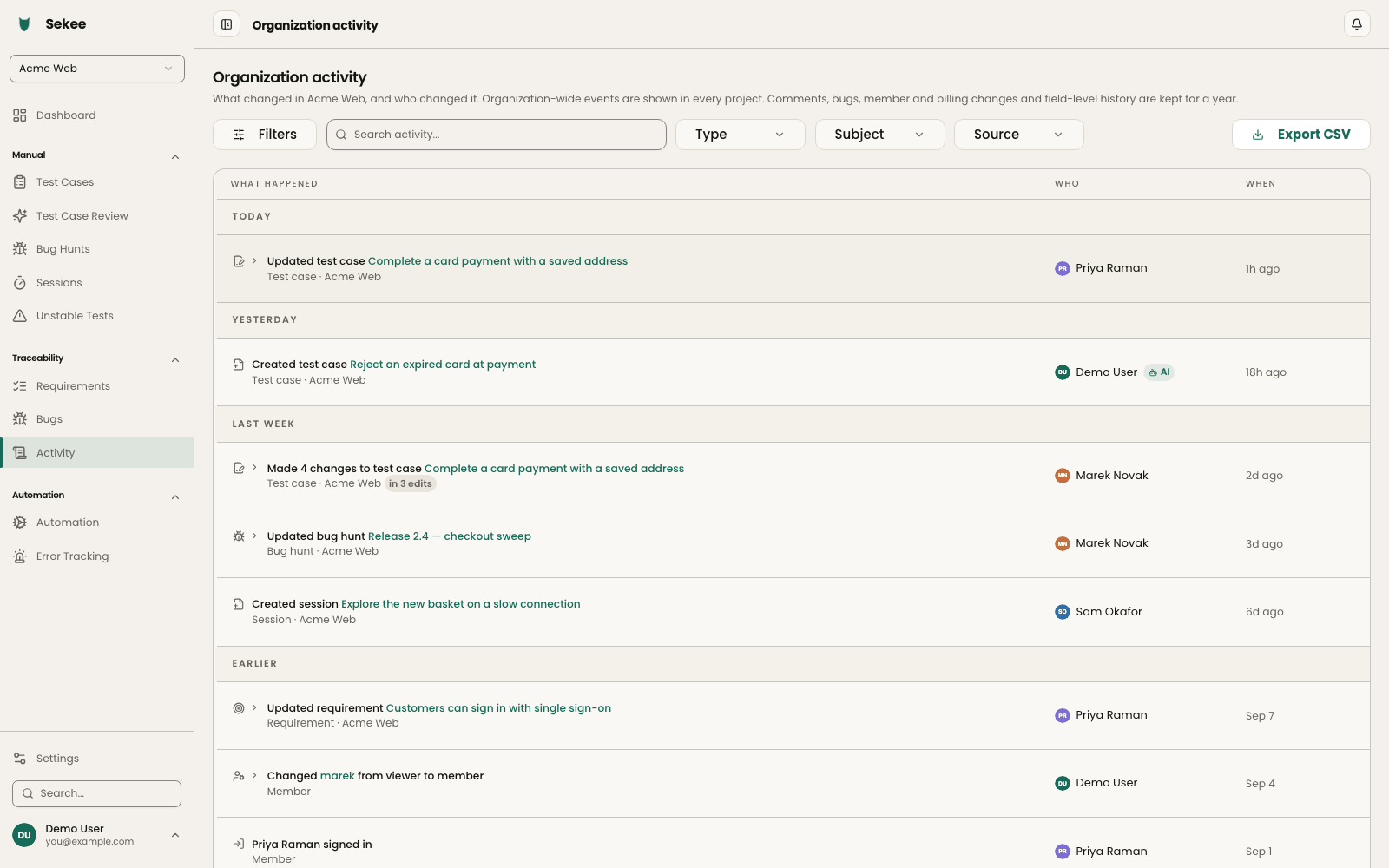
Audit log Who changed what, and when.
Organization activity records the change and the hand behind it. Basic keeps the content events; Advanced adds diffs, account and security events, the IP address, a year of retention and export. Starter records nothing at all, so the log begins the day you upgrade.
- Content events on Standard, full forensics on Business
- Actions taken by an AI are marked as AI, on either
- Diffs, IP, export and a year of retention on Advanced
- The org-wide view is owner and admin only
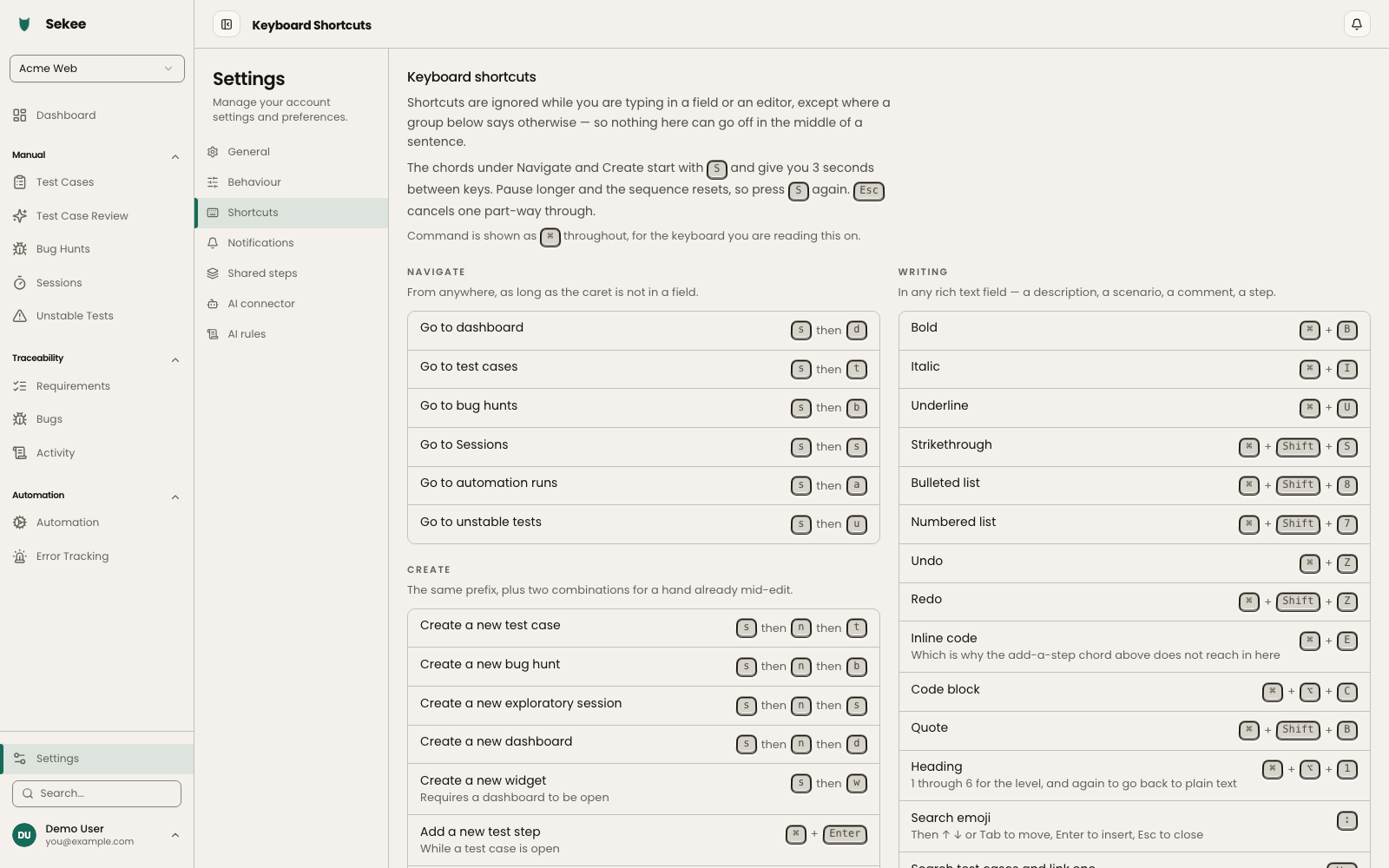
Keyboard shortcuts Two keys to anywhere, without reaching for the mouse.
Two-key chords for the things you do twenty times a day. Press "s" then a letter to jump to any section, or "s n" to start a test case, a bug hunt or a session — from anywhere in the app, whatever screen you are on.
- "s" then a letter jumps to any section
- "s n" creates a case, a hunt or a session
- Works from anywhere, on every plan